> ## Documentation Index
> Fetch the complete documentation index at: https://blaxel-feat-keep-alive-timeout-clarification.mintlify.site/llms.txt
> Use this file to discover all available pages before exploring further.
# xAI integration
> Set up the xAI integration on Blaxel to call xAI models through a unified endpoint with centralized access control and observability.
The xAI integration allows Blaxel users to **call xAI models using a Blaxel endpoint** in order to unify access control, credentials and observability management.
The integration must be set up by an [admin](../Security/Workspace-access-control) in the Integrations section in the [workspace settings](../Security/Workspace-access-control).
## Set up the integration
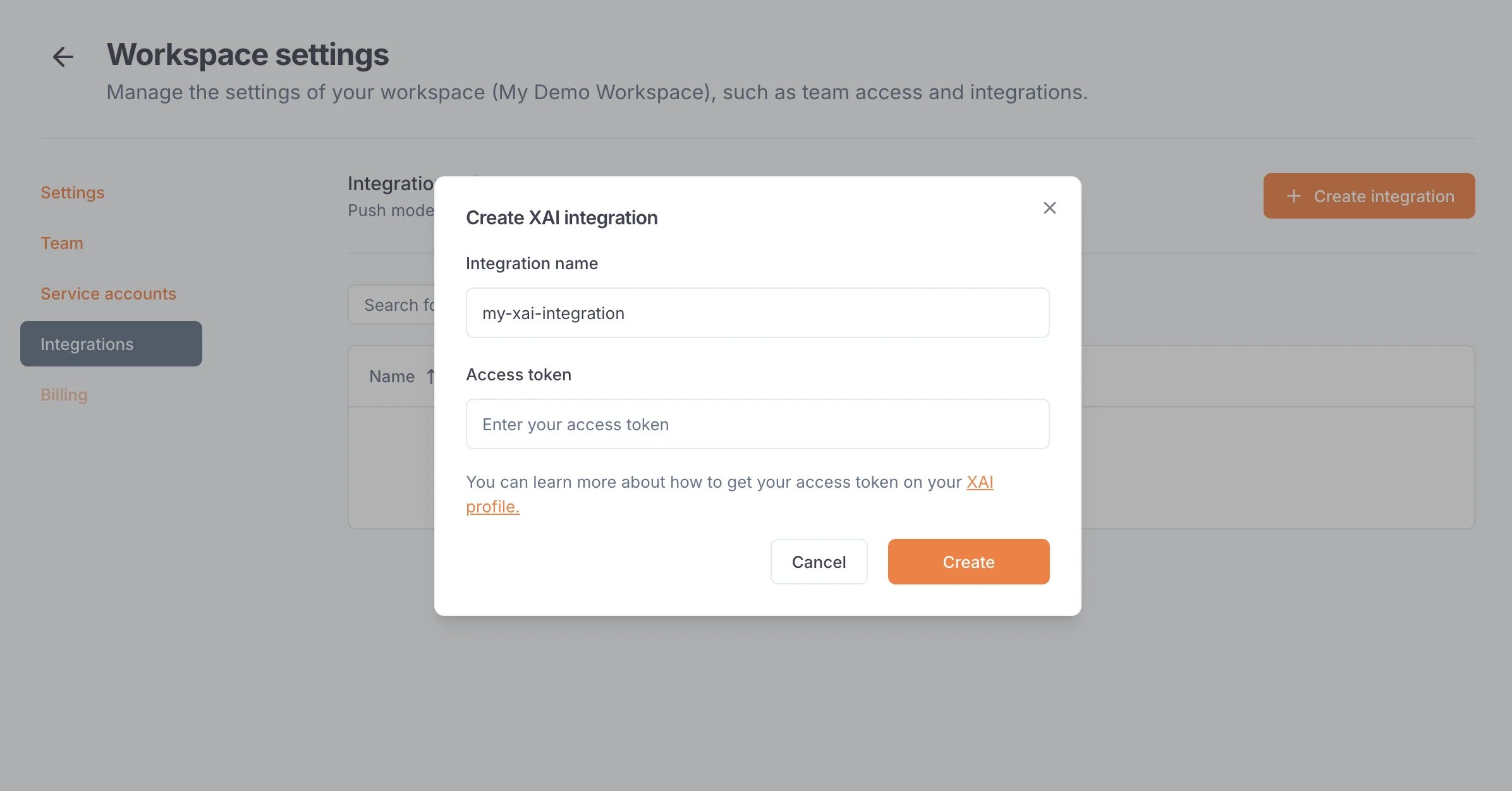
In order to use this integration, you must register an xAI access token into your Blaxel workspace settings. First, generate an [xAI API key](https://docs.x.ai/docs/tutorial#step-2-generate-an-api-key) from [your xAI team console](https://console.x.ai/team/default/api-keys). This key must have access to at least the *Chat* and *Models* endpoints.
On Blaxel, in Workspace Settings > xAI integration, create a new connection and paste this token into the “API key” section.
 ## Connect to an xAI model
Once you’ve set up the integration in the workspace, any workspace member can use it to reference an xAI model as an [external model API](../Models/External-model-apis).
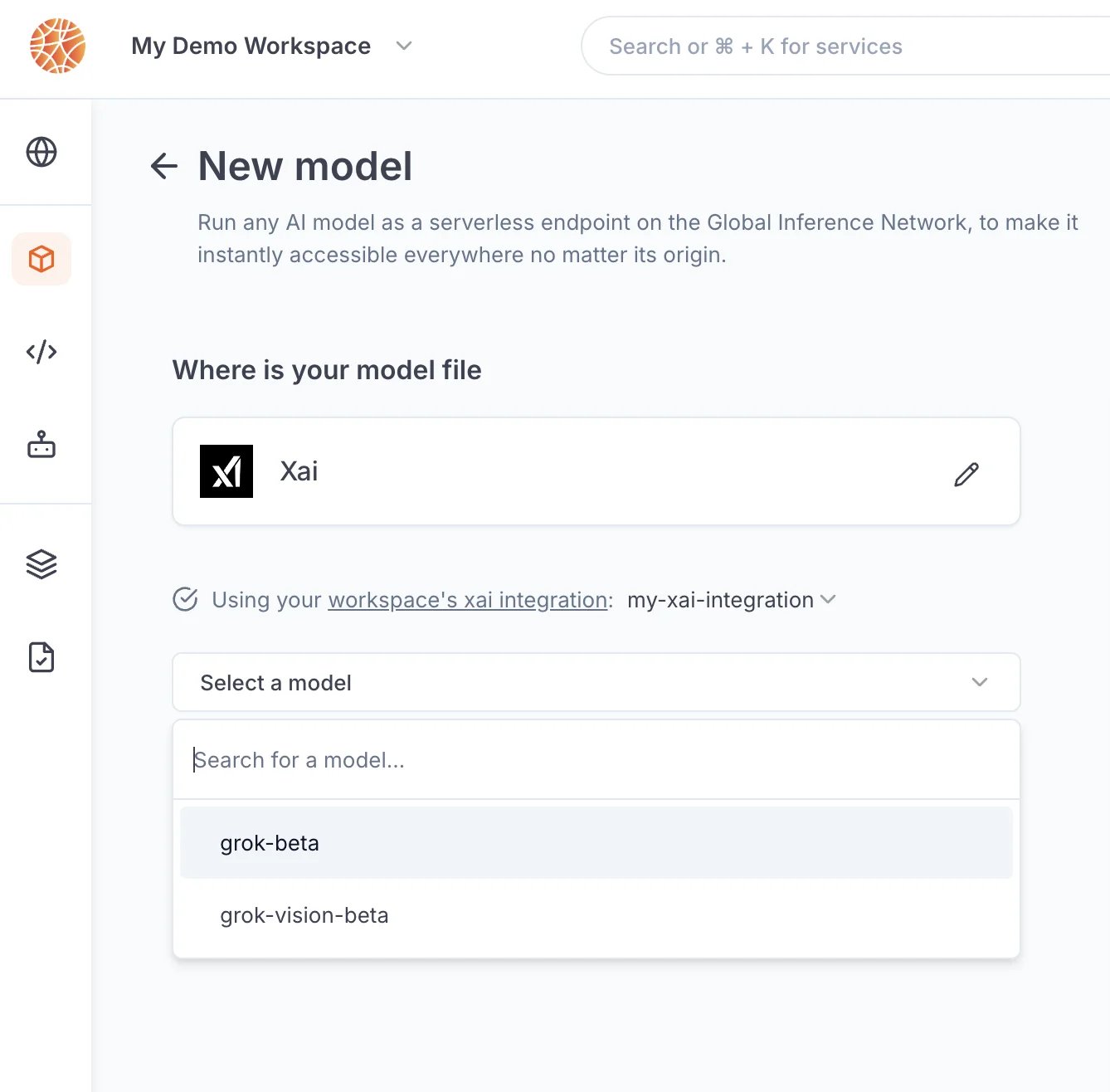
When creating a model API, select xAI. You can search for any model from the xAI catalog.
## Connect to an xAI model
Once you’ve set up the integration in the workspace, any workspace member can use it to reference an xAI model as an [external model API](../Models/External-model-apis).
When creating a model API, select xAI. You can search for any model from the xAI catalog.
 After the model API is created, you will receive a dedicated global Blaxel endpoint to call the model. Blaxel will forward inference requests to xAI, using your xAI credentials for authentication and authorization.
Because your own credentials are used, any inference request on this endpoint will incur potential costs on your xAI account, as if you queried the model directly on xAI.
After the model API is created, you will receive a dedicated global Blaxel endpoint to call the model. Blaxel will forward inference requests to xAI, using your xAI credentials for authentication and authorization.
Because your own credentials are used, any inference request on this endpoint will incur potential costs on your xAI account, as if you queried the model directly on xAI.